
Datatables with Firebase Realtime Database takes too much time to load rows
Datatables with Firebase Realtime Database takes too much time to load rows
 anant30
Posts: 7Questions: 4Answers: 0
anant30
Posts: 7Questions: 4Answers: 0
I have initialized my datatables with firebase realtime database. Since I have so much json data on my realtime db, the web page takes too much time to load contents.
This is how i am filling the rows in table.
var rootRef = firebase.database().ref().child("scans/").orderByChild("fullTime");
        rootRef.on("child_added", snap => {
            dataSet = [
                snap.key,
                //snap.child("id").val(),
                snap.child("locationNum").val(),
                snap.child("bagNum").val(),
                snap.child("trackId").val(),
                snap.child("fullTime").val(),
                snap.child("receiveTime").val(),
            ];
            table.rows.add([dataSet]).draw();
        });

        rootRef.on("child_changed", snap => {
            dataSet = [
                snap.key,
                snap.child("locationNum").val(),
                snap.child("bagNum").val(),
                snap.child("trackId").val(),
                snap.child("fullTime").val(),
                snap.child("receiveTime").val(),

            ];
            location.reload();
        });
a.) Any suggestion for above snippet to add rows to datatable? Is there any other way of doing it?
b.) Is there a way to load only some entries at first and then eventually add more entries?
c.) Can i just reload and render the rows that used event like "child_changed" instead of using function location.reload(); ?
and
d.) If its gonna take longer time, then how do i add "Loading..." icon? I have set
"processing": true;
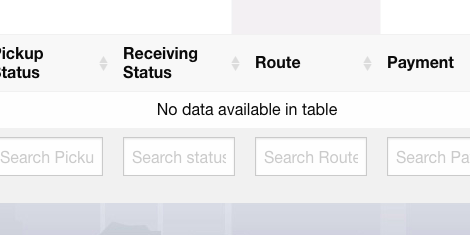
but instead, datatable says "No data available.."
This discussion has been closed.
Answers
I'm not aware of Firebase, but this section of the FAQ should help, it discusses various techniques to improve performance,
Cheers,
Colin