
[Bug] Scroller shows a blank table when restoring saved state
[Bug] Scroller shows a blank table when restoring saved state
 choc
Posts: 148Questions: 15Answers: 12
choc
Posts: 148Questions: 15Answers: 12
Link to test case: https://stackblitz.com/edit/datatables-net-react-simple-x2wmk8kv?file=src%2FApp.tsx
Description of problem:
The test case (React) doesn't work as expected as example showed in the website: https://datatables.net/extensions/scroller/examples/initialisation/state_saving.html
After the DataTable is unmounted and mounted again, Scroller should restore the saved scroll position and render the rows visible at that position.
Actual behavior:
The scroll position and display range are restored, but the Scroller viewport is blank.
For example, the information element shows: "Showing 49,991 to 50,000 of 50,000 entries" but no rows are rendered in the viewport.
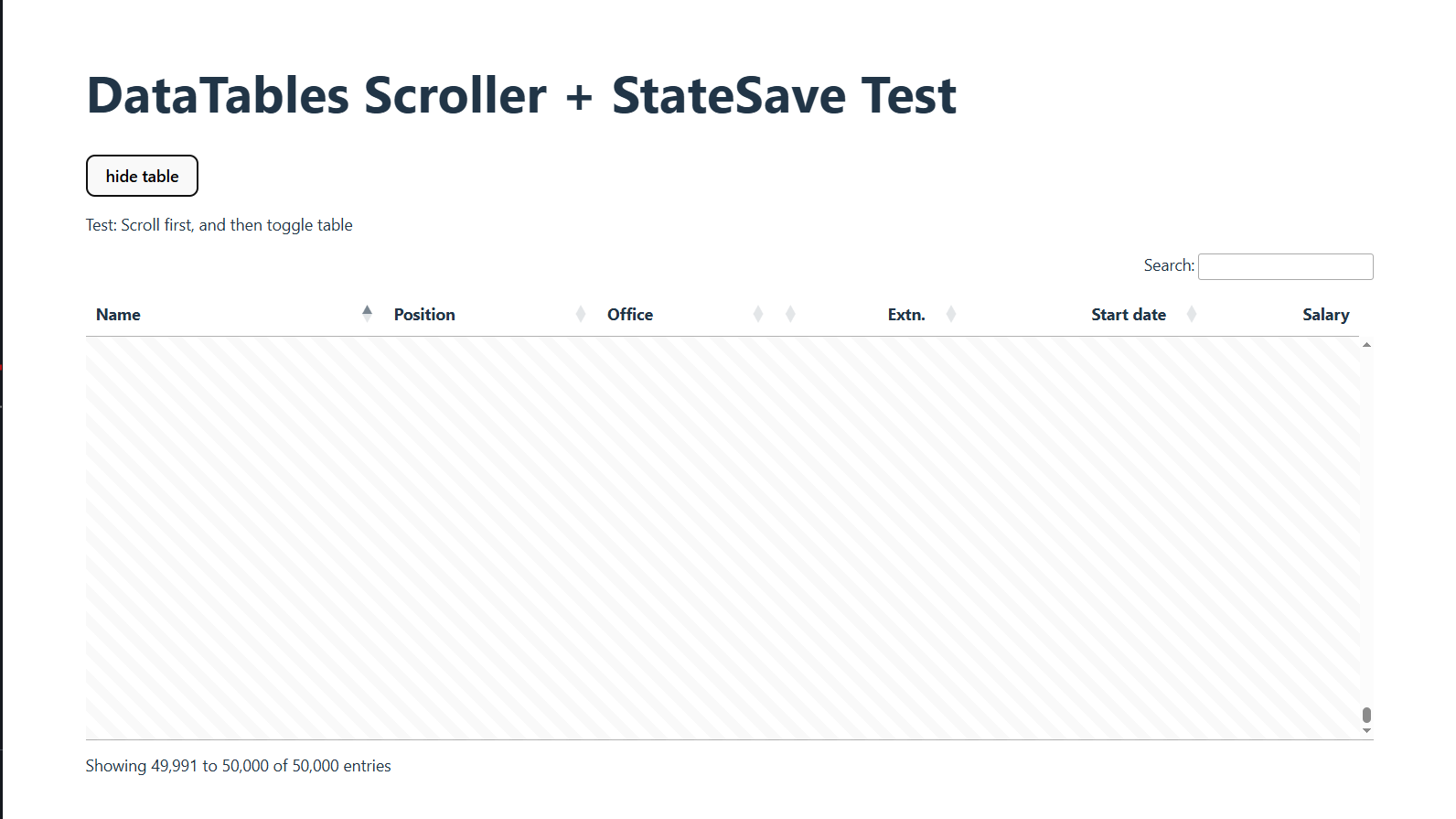
Steps to reproduce:
1. Open the test case.
2. Scroll to any position.
4. Click "display table/hide table" button to conditionally unmount the DataTable.
5. Mount the DataTable again.
6. The saved position is restored, but the viewport is blank.
PS: I also tested on my side locally with createPortal implementation of the DataTables component for React, it still shows the same problem.
Seems like it has something to do with draw()?
Replies
BTW: this example of select+ stateSave is not working as expected. The paging state is restored but the selection state is not.
Hi,
Thanks for the links!
The error of Select with state saving not working is working in my current development builds. I can't immediately recall was the error was there, but the new versions aren't far away from being released now.
Regarding the React integration error - I can see that it is "trying" to restore a state, but that it is getting it wrong. I will look into this, although it will probably be next week I'm afraid, while I try to wrap up some other changes.
Allan
Hi @allan,
I can confirm that this example of select+ stateSave is working as expected with Select v4.0.0 and DataTables core v3.0.0.
However, state saving with Scroller is still buggy. Here is the test case for the latest version, v3.0.0: https://stackblitz.com/edit/datatables-net-react-simple-9mmyaxyf?file=src%2FApp.tsx
P.S. Since I wasn't able to demonstrate restoring the state with Stackblitz using the “Reload this page” button in Chrome, I'm using “conditional render” in React instead to illustrate this. You may need to click the “show/hide table” button one to three times to see the issue.