
ColReorder does not work properly with Vue when ordering slot rendered columns
ColReorder does not work properly with Vue when ordering slot rendered columns
 coreyg142
Posts: 25Questions: 2Answers: 0
coreyg142
Posts: 25Questions: 2Answers: 0
Test case here: https://stackblitz.com/edit/koj9creq-qd2zsh1k?file=src%2FApp.vue
To see the issue, first reorder the position column, it should work as expected.
Then try to reorder the name column. You'll see it does not draw the correct template, and instead duplicates the position data
The reverse happens if Name is moved first, and Position second.
I also tested this on the 3.0 beta versions, same behavior occurs.
Replies
Also same behavior when using named slots instead of auto slots:
https://stackblitz.com/edit/koj9creq-vufj9c3a?file=src%2FApp.vue
Hi,
Many thanks for the test cases! I agree there is something going wrong there. I'm not yet certain if it is in ColReorder or the Vue component, but I'll dig into it.
One thing in your original post that I don't quite understand:
If I move "Position" into the first column and then reorder the table, then it shows "0-2-10" in a red pill, which I would have expected, since the
positioncolumn has2in the middle and hascolor=red. Or have I misunderstood something there?Allan
Sorry, by 'reorder' I meant to change the ordering of the columns, not 'sorting' them. (Though sorting and changing the page does make it fix itself)
Attached is what I meant
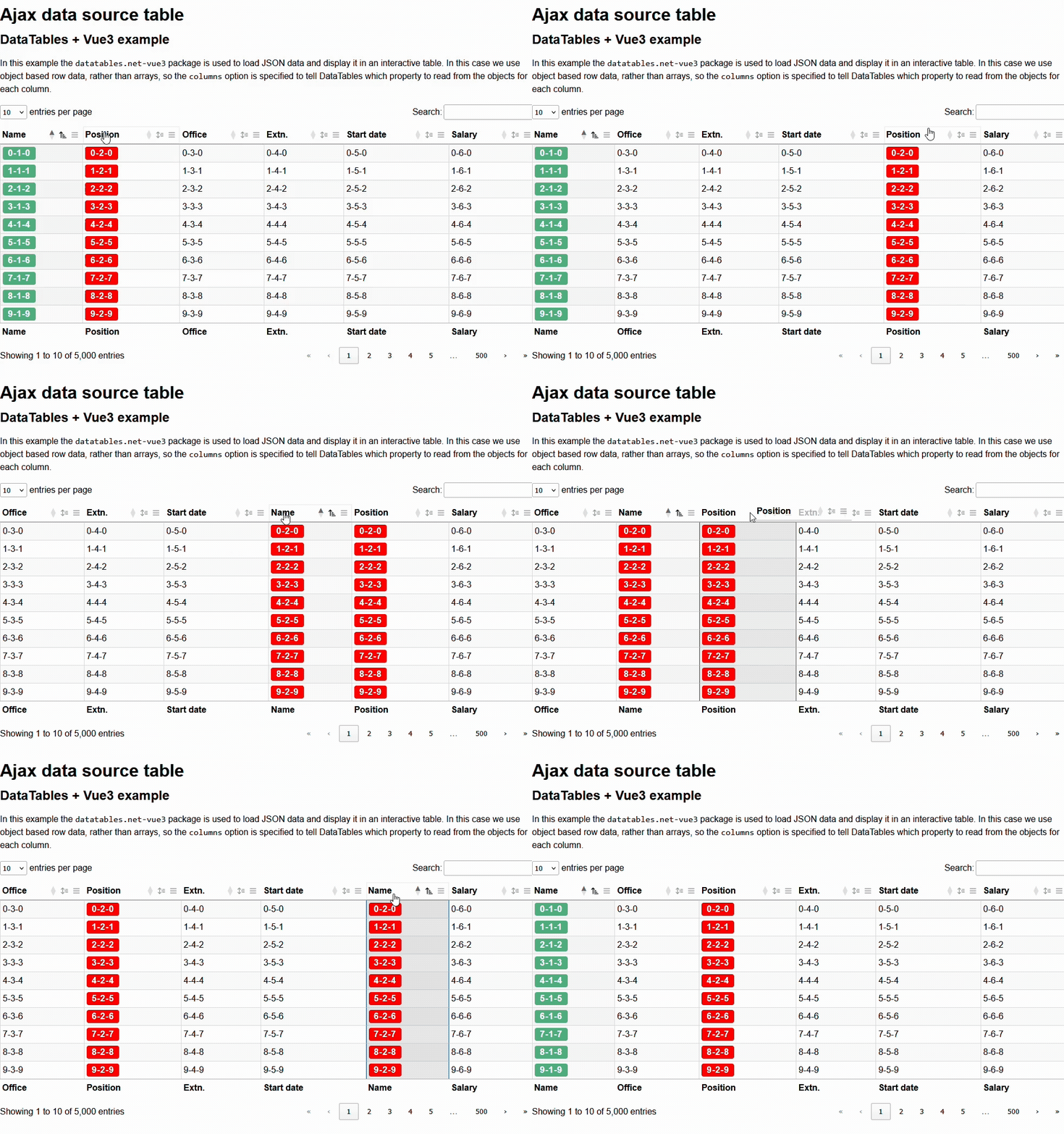
Ah I'm with you now. That is a bit bananas! Not yet certain what the issue is, but I aim to look into it before the end of the week.
Allan
Thanks Allan!
Its taken longer than I would have liked, apologies, but I've just been looking at this and have committed a fix. There are a couple of other Vue issues that I'm going to take a look at, and if they are fairly minor issues, I'll bundle them into a release with this one.
Regards,
Allan