
Colspan with value
Colspan with value
 rodrigo286
Posts: 2Questions: 1Answers: 0
rodrigo286
Posts: 2Questions: 1Answers: 0
Hello friends, I am trying to make this 'colspan' ordination, i tried it in several ways, searched a lot but, still haven't found anything to solve.
Based on the order date, i need to make a clean line and fill it with the date, so that it separates all orders with the same date.
I did this example 'manually' with 'F12' in Google Chrome:
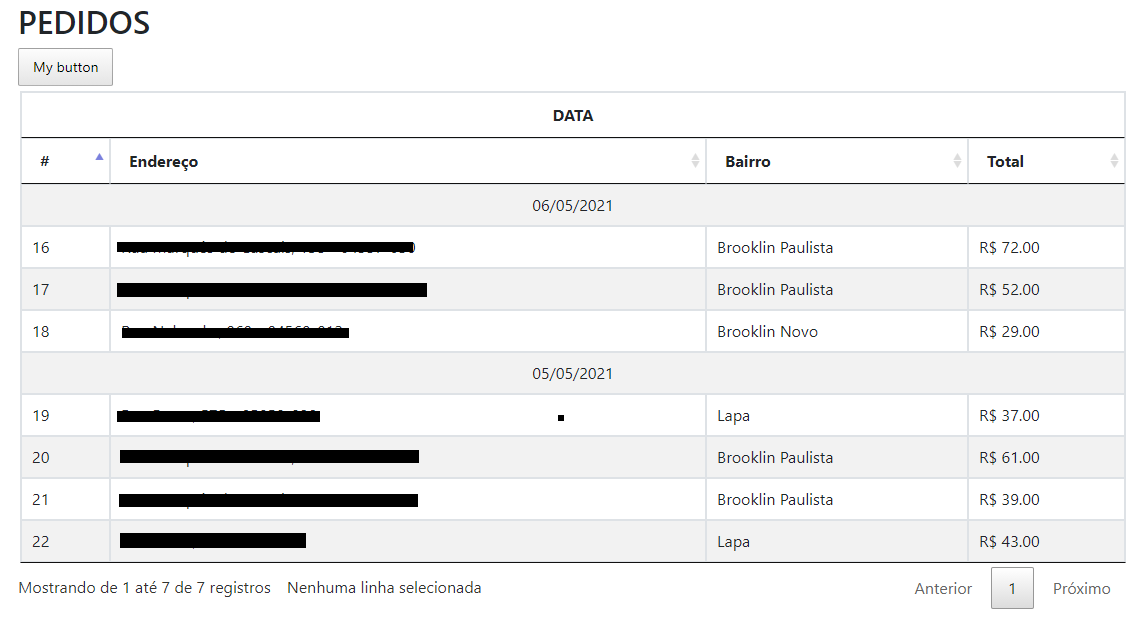
Currently my table looks like this:
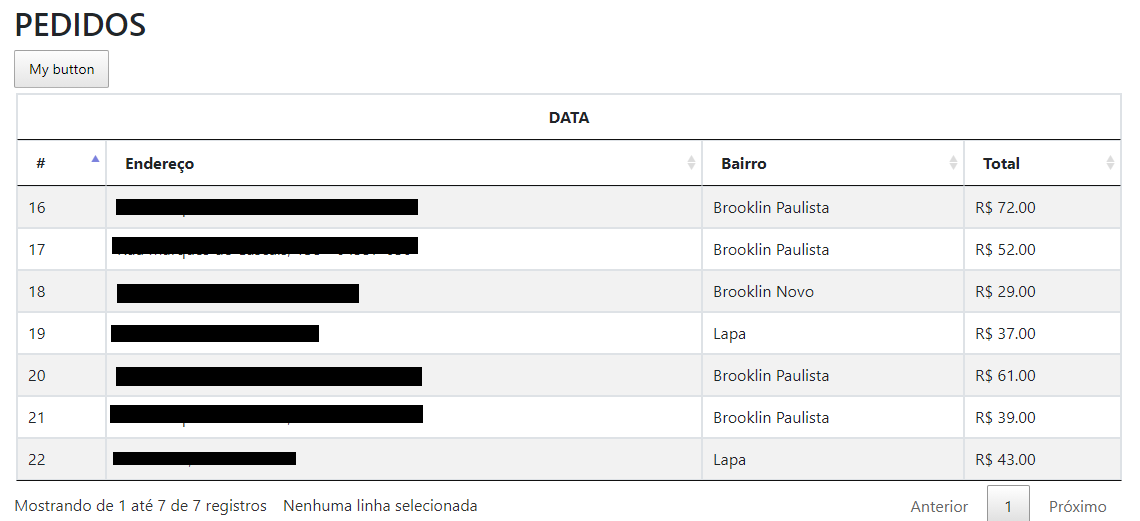
With PHP and default HTML table, work's, but with Datatables no.
My code:
JS
            var t0 = performance.now();

            var editor;

            $(document).ready(function() {
                $('#listGroups').DataTable( {
                    "oLanguage": {
                        "sUrl": "https://cdn.datatables.net/plug-ins/1.10.22/i18n/Portuguese-Brasil.json"
                    },
                    "bFilter": false,
                    "bLengthChange": false,
                    "processing": true,
                    "select": true,
                    "ajax": "../orders/showCustomerOrders/9",
                    "columns": [
                        { "data": "orderId" },
                        //{ "data": "purchaseDate" },
                        { "data": "address" },
                        { "data": "district" },
                        { "data": "valor" }
                    ],
                    "rows": [
                        { "data": "purchaseDate" }
                    ],
                    dom: 'Bfrtip',
                    buttons: [
                        {
                            text: 'My button',
                            action: function ( e, dt, node, config ) {
                                alert( 'Button activated' );
                            }
                        }
                    ],
                    "fnInitComplete": function (oSettings, json) {
                        var t1 = performance.now();
                        var seconds = (t1 - t0) / 1000;
                        console.log("A tabela carregou em " + seconds + " segundos.");
                    }
                } );

                var table = $('#listGroups').DataTable();

                $('#listGroups tbody').on('click', 'tr', function () {
                    var row = table.row( this ).data();
                    $(this).toggleClass('selected');
                } );
            } );
HTML table
                        <div class="table-responsive-sm">
                            <table class="table table-bordered table-striped table-sm" id="listGroups">
                                <thead>
                                    <tr>
                                        <th colspan="5" class="text-center">DATA</th>
                                    </tr>
                                    <tr>
                                        <th>#</th>
                                        <!--<th>Data</th>-->
                                        <th>Endereço</th>
                                        <th>Bairro</th>
                                        <th>Total</th>
                                    </tr>
                                </thead>
                            </table>
                        </div>
Thanks for all help.
This question has an accepted answers - jump to answer
This discussion has been closed.
Answers
Datatables doesn't support
colspanin thetbody. See HTML requirements docs for more details. See if the RowGroup Extension will do what you want.Kevin
@kthorngren, thanks for all help.
This works !