Old version using buttons 1.x
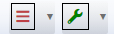
New look after installing buttons 2.0
This is taking up too much space for my design. I was looking at button options, but could not find any to toggle this feature.
Thanks and be well, Robert :~)
The easiest way to remove it would be with CSS:
.dt-down-arrow {
  display: none;
}
or you could do it in initComplete,
initComplete
    initComplete: function() {
      $('.dt-down-arrow').hide()
    }
Example here,
Colin
Worked like a charm, thank you so much for the quick reply. Be well, Robert :~)
After updating to 2.0.0, if I change pageLength, arrows gone away and text is duplicated.
For example I have a pageLength with there values: 10,20,30,-1
After I select a value 20 with the dropdown menu, I see inside button:
Showed 20 showed 20
instead:
Showed 20 (arrow)
It was fixed here and will be released later this week as 2.0.1.
Allan



Answers
The easiest way to remove it would be with CSS:
or you could do it in
initComplete,Example here,
Colin
Worked like a charm, thank you so much for the quick reply. Be well, Robert :~)
After updating to 2.0.0, if I change pageLength, arrows gone away and text is duplicated.
For example I have a pageLength with there values: 10,20,30,-1
After I select a value 20 with the dropdown menu, I see inside button:
instead:
It was fixed here and will be released later this week as 2.0.1.
Allan