
using Editor on subrows.
using Editor on subrows.
 jmccolgan93
Posts: 19Questions: 11Answers: 0
jmccolgan93
Posts: 19Questions: 11Answers: 0
in Editor
so I'm jumping in head first again, ive worked with editor tables before but never like this...
I'm trying to make a inline editor table of "Master Categories" and then have dropdown of subrows of categories for thier respective master category. and I'm trying to incorprate rowreordering as well!
so i got the row reordering and inline editing working the top level master categories but I'm not sure how to incorpate the same treatment for the subrows. thoughts?
eventually i want to get inline row creation for both master and sub categories working but 1 step at a time...
Both this example and this formn post have helped me get to where I'm at now.
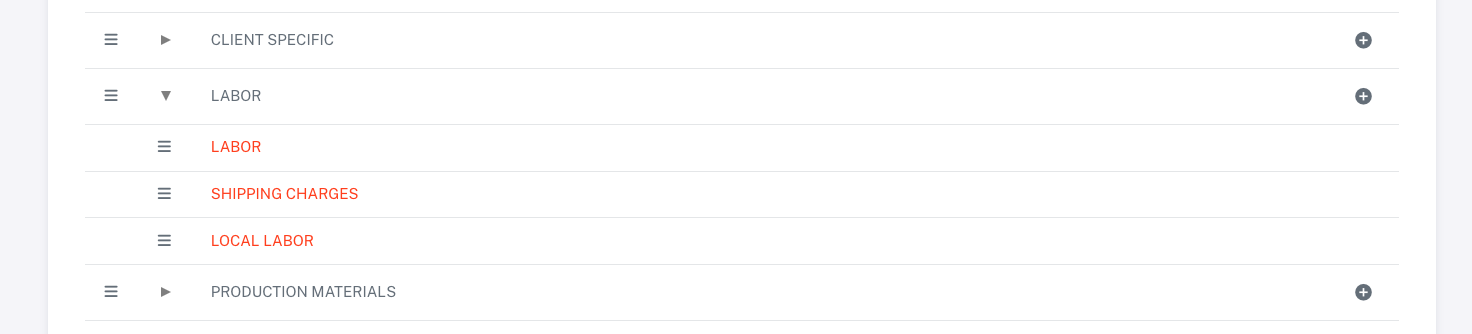
Editor and Table Setup
var editor = new DataTable.Editor({
  ajax: '/catergory/data',
  fields: [
      {
        name: 'name'
      },
      {
        name: 'id'
      },
      {
        name: 'sortorder'
      }
  ],
  table: '#datatables-cats'
});
$('#datatables-cats tbody').on('click', 'td.dt-control', function () {
  var tr = $(this).closest('tr');
  var row = dt_cats.row(tr);

  if (row.child.isShown()) {
    row.child.hide();
    tr.removeClass('shown');
  }
    else
  {
    row.child(format(row.data())).show();
    tr.addClass('shown');
  }
});

dt_cats.on('click', 'tbody td:not(:first-child)', function (e) {
  editor.inline(this, {
    onBlur: 'submit',
    submit: 'allIfChanged'
  });
});
var dt_cats = $(".datatables-cats").DataTable({
  ajax: "/catergory/data",
  columns: [
    {
      className: "reorder",
      defaultContent: `<i class="fa-solid fa-bars"></i>`,
      orderable: false,
      width: "1%"
    },
    {
      className: "dt-control p-0 ps-1",
      defaultContent: "",
      orderable: false,
    },
    { data: "name", name: "name" },

  ],
  columnDefs: [
    {

      className: "dt-right",
      targets: 3,
      title: "Actions",
      orderable: false,
      searchable: false,
      render: function (data, type, full, meta) {
        return (
          '<button id="${full["id"]}" class="btn btn-sm btn-icon item-add"><i id="" class="bx bxs-plus-circle"></i></button>'
        );
      },
    },
  ],
  rowReorder: {
    dataSrc: "sortorder",
    editor: editor
  },
  order: [[3, "asc"]],
  sorting: true,
  processing: false,
  displayLength: displaylen,
  layout: {
    top2End: $(
      '<div class="d-flex align-items-md-center justify-content-end flex-column flex-,d-row my-4"><button id="addmastercat" class="btn btn-primary btn-sm ms-sm-3 shadow-none"><i class="fa-solid fa-plus me-1"></i> Add New Master Category</button></div>'
    ),
    top1Start: "pageLength",
    top1End: {
      search: {
        placeholder: "Type search here",
      },
    },
    topStart: null,
    topEnd: null,
    bottomEnd: {
      paging: {
        numbers: 3,
      },
    },
  },
  responsive: {
    details: {
      type: "column",
      target: 0
    },
  },
  lengthMenu: [
    [10, 25, 50, -1],
    [10, 25, 50, "All"],
  ],
});
This discussion has been closed.
Answers
Assuming the nested rows are a DataTable, then it should be possible to do using the technique shown here. There is a bunch of styling needed of course to make it look like what you've got, but I think that should be quite possible.
Allan