
ColumnControl multiHeader
ColumnControl multiHeader
 Wooly65
Posts: 109Questions: 35Answers: 1
Wooly65
Posts: 109Questions: 35Answers: 1
Trying to work up a testcase, but the sort icons are not showing up on DataTables live.
https://live.datatables.net/sijoyimi/2/edit
I will complete the testcase if I could get it working.
I am referencing the nightly build since the library release chooses are not recent
* DataTables v3,04 instead of the latest 3.1.3
* ColumnControl v2.0.2 instead of the latest 2.1.2
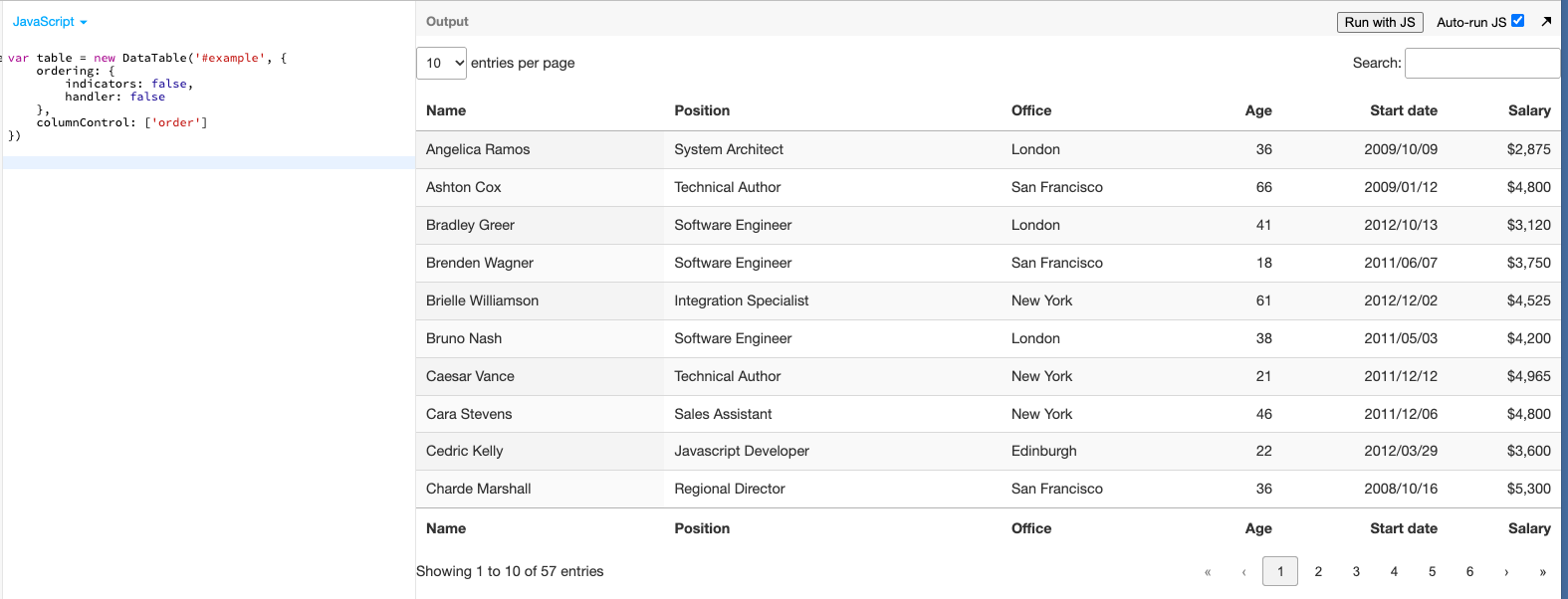
The issue I have is that column 0 and 1 are showing sort indicator even though I have columnControl: [] for both the targets. So not sure if this has to do with multiple headers.
        ordering: { indicators: false, handler: false},
        columnControl: {target: 1, content: ['order']},
For the columnDefs
            {
                target: 0,
                className: 'details-control',
                columnControl: [],
                data: null,
                defaultContent: '',
                width:"15px"
            },
            {
                target: 1,
                className: 'dt-indexCol',
                columnControl: [],
                defaultContent: '',
                searchable: false,
                width: 20,
            },
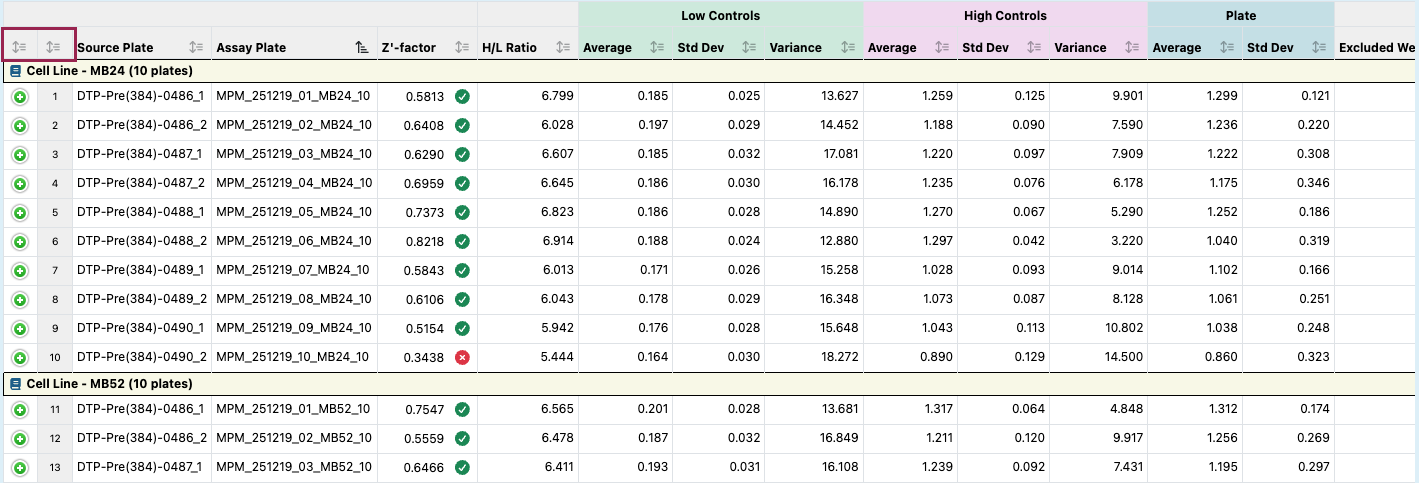
It is working fine on a datatable that only has a single header
This question has an accepted answers - jump to answer
Answers
Ok I have the test case working (link and script ordering were incorrect).
So why does the index column have a sort icon even when I set columnControl: []. Is because of the 2 headers?
https://live.datatables.net/sijoyimi/3/edit?js,output
I think you need to use
columns.columnControland specifycolumnControl.targetto control what is placed in each header, for example:Updated text case:
https://live.datatables.net/jabokemu/1/edit
Kevin
Always fun learning a new feature and all the options. Thank you looks good.